


 Dj1948
Dear Forum Members,
I primarily use VDJ8 (Skin: MixLab8)!
I can press the Automatic button (at the top center), but nothing happens; there's no smooth transition between tracks from Deck A to Deck B!
After some research, I found an update to the VDJ8 skin (ZIP file) that enables automatic transitions! It consists of three parts:
1. Microsoft Edge HTML document - Mix Lab 4 Eight
2. PNG file - Mix Lab 4 Eight
3. PNG file - skin preview
I read that this ZIP file, which was created by an expert, simply needs to replace the existing one to solve my problem!
Now my question:
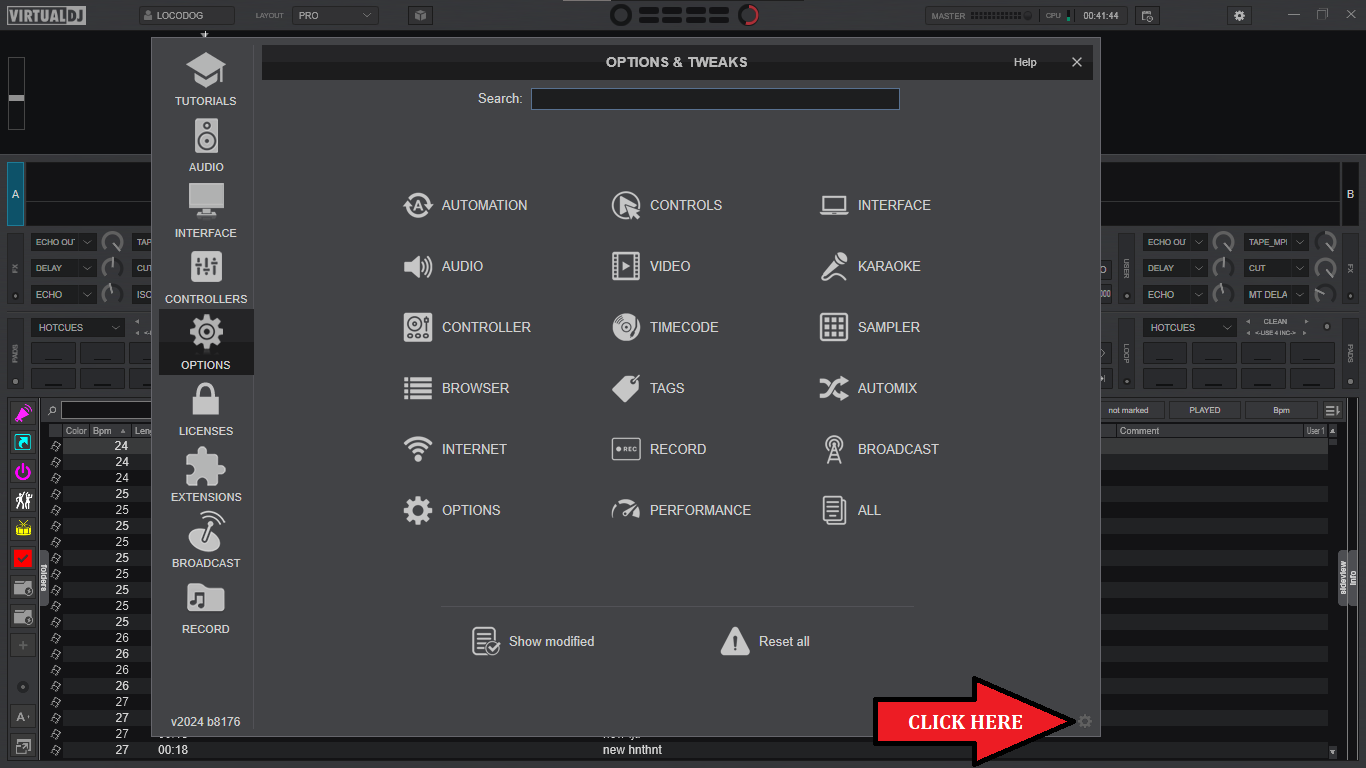
How or where can I find the "old" ZIP file?
There's usually a separate folder for skins, which is a subfolder when you download Virtual DJ!
But it's not in my directory!
What are my next steps?
I would be grateful for any help!
Best regards,
DJ1948
I primarily use VDJ8 (Skin: MixLab8)!
I can press the Automatic button (at the top center), but nothing happens; there's no smooth transition between tracks from Deck A to Deck B!
After some research, I found an update to the VDJ8 skin (ZIP file) that enables automatic transitions! It consists of three parts:
1. Microsoft Edge HTML document - Mix Lab 4 Eight
2. PNG file - Mix Lab 4 Eight
3. PNG file - skin preview
I read that this ZIP file, which was created by an expert, simply needs to replace the existing one to solve my problem!
Now my question:
How or where can I find the "old" ZIP file?
There's usually a separate folder for skins, which is a subfolder when you download Virtual DJ!
But it's not in my directory!
What are my next steps?
I would be grateful for any help!
Best regards,
DJ1948
Posted Sat 08 Nov 25 @ 4:50 pm
 locoDog
Posted Sat 08 Nov 25 @ 5:01 pm
 groovindj
I don't understand why you're making yet another separate post about this, when it's already been explained why the button behaves differently. I also told you that there was no need to unzip the file.
No you didn't find it. I volunteered to send you the file containing the simple modification, because you kept posting about it not doing what you expected.
Dj1948 wrote :
I found an update
No you didn't find it. I volunteered to send you the file containing the simple modification, because you kept posting about it not doing what you expected.
Posted Sat 08 Nov 25 @ 5:22 pm
Dj1948
Hello GOOVINDJ,
First of all, apologies for the separate post!!!
The reason was this:
I've bothered you with questions quite a few times already!
Last time, I asked you:
"Yes, but where can I find them currently available?"
Your answer was:
"Find what? I sent the file to you. Put it in the skins folder."
I thought you'd had enough!
As you've probably noticed, I'm a complete novice!
I didn't want to bother you again, so I contacted Technical Support!
Dj1948 wrote:
"I found an update"
Of course, I didn't find your skin!
I wrote it that way to protect your name!!!
Sorry again for the misunderstanding!!!
I wish you all the best for the future.
Best wishes,
DJ1948
First of all, apologies for the separate post!!!
The reason was this:
I've bothered you with questions quite a few times already!
Last time, I asked you:
"Yes, but where can I find them currently available?"
Your answer was:
"Find what? I sent the file to you. Put it in the skins folder."
I thought you'd had enough!
As you've probably noticed, I'm a complete novice!
I didn't want to bother you again, so I contacted Technical Support!
Dj1948 wrote:
"I found an update"
Of course, I didn't find your skin!
I wrote it that way to protect your name!!!
Sorry again for the misunderstanding!!!
I wish you all the best for the future.
Best wishes,
DJ1948
Posted Sun 09 Nov 25 @ 12:21 pm
Dj1948
It worked!
I'm overjoyed!
Thank you all!
I'm overjoyed!
Thank you all!
Posted Sun 09 Nov 25 @ 2:05 pm
groovindj
Well we got there in the end!
Posted Sun 09 Nov 25 @ 2:14 pm